Garmin R10 Launch Monitor
A small radar launch monitor that sits behind the ball and reports club and ball data to your phone. Take it from the garage bay to the range and back.
Send us your room and we will check it for free. Book a design call or call (512) 222 2220.
Radar data at home and at the range, from one small unit.
The R10 sets up on the ground behind the tee and pairs with the Garmin Golf app on your phone. Use it in a simulator with E6 Connect, or toss it in the bag for a range session.

What you get with the Approach R10

It sits behind the ball, not beside it
Set the R10 on the ground 6 to 8 ft behind the tee and line its red mark up with your target. Indoors, Garmin wants the tee at least 8 ft from the net or screen so the radar sees enough flight.

Face, path and spin on every swing
The radar reads the club through impact and the ball after it leaves. You see what the face and path did, then what the ball did about it.

Stats by club, with video of each swing
Training mode keeps numbers for each club and plots your shots on a dispersion chart, so gapping and misses are easy to spot. Swing Capture uses your phone camera to film every shot and lay the data over the clip.
The app runs it, the courses are your call
The R10 pairs with the Garmin Golf app over Bluetooth. Practice and data are part of the app; virtual rounds need a Garmin Golf membership.


Full specs
Brand new units with the full Garmin factory warranty.
Tracking
Club data
Ball data
Connections
Power and build
Approach R10 questions
Something else? Call or text (512) 222 2220, Monday to Friday, 9 to 6 Central.
How much room do I need indoors?
Garmin asks for the unit 6 to 8 ft behind the tee and at least 8 ft from the tee to the screen. We like the ball about 10 ft off the screen to keep your head shadow off the image, so plan on roughly 17 to 19 ft from the screen to the back of the unit.
Do I need a Garmin Golf membership?
Not to practice. The free app gives you every shot, session history and Swing Capture video. Home Tee Hero rounds and the weekly tournaments need the membership, which you can buy in the Garmin Golf or Home Tee Hero app.
Can I play on a projector instead of my phone?
Yes. The app mirrors to a compatible smart TV, and E6 Connect or another simulator app can run on a bigger screen. An iPad locks you to a 4:3 picture and limits the software you can run, so a PC gives you more room to grow.
What PC should I get if I go that route?
For simulator software we suggest an RTX 5070 or better, 32 GB of RAM and an i7 or better. We do not sell PCs, but we are happy to look over a build.
What do I hit off?
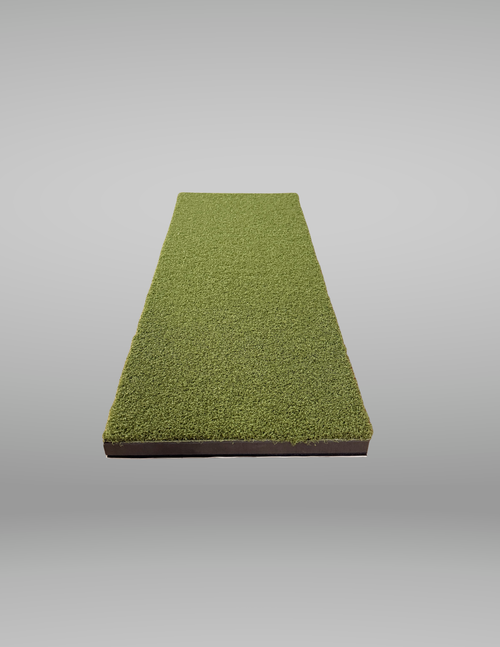
Hit irons off a hitting strip and tee shots off turf, with foam or a mat underneath. Never hit off turf laid straight on a hard floor. The R10 has to sit above the mat surface, so leave it room behind your strip.
What else do I need for a full simulator?
An impact screen, a short throw projector and a hitting area. Send us your room and we will lay out the screen size and projector spot around the R10 for free.
What owners say
Complete the bay