Garmin Approach® R50
Three high speed cameras beside the ball and a 10 inch touchscreen on the unit. It runs full rounds by itself, no PC or tablet required.
Send us your room and we will check it for free. Book a design call or call (512) 222 2220.
The launch monitor is the simulator.
The R50 reads each shot with cameras from beside the ball and plays the round on its own screen or on your projector. Plug it into the wall for the bay, or run it on battery at the range.

What you get with the Approach R50
No PC, no tablet, no extra hardware
Courses, range sessions and shot data all run on the unit. Run an HDMI cable to your projector and the same picture goes on the big screen at up to 1080p.

Set it beside the ball and swing
Place it about 1.5 ft to the side of the tee, facing the ball, at roughly the same height. It corrects for uneven ground, so there is no leveling step.

Face to path from a small sticker
A tracking sticker on the top center of the face lets the cameras read club delivery, including face to path. Spin rate and spin axis are measured, not estimated. Putters need no sticker.

Plugged in for the bay, battery for the range
It runs while charging, so a simulator setup can stay on the AC adapter all day. Off the wall, the battery gives up to 4 hours, and the carrying case makes the trip to the range easy.
Garmin courses, or your own simulator software
Range sessions and club stats are on the unit from day one. Home Tee Hero rounds need a Garmin Golf membership, and Wi Fi opens the door to third party software.
Full specs
Brand new units with the full Garmin factory warranty.
Tracking
Display
Connections
Power and build
Approach R50 questions
Something else? Call or text (512) 222 2220, Monday to Friday, 9 to 6 Central.
How much room do I need?
The R50 sits beside the ball, so nothing goes behind you. We set the ball about 10 ft off the screen and plan about 16 ft of total depth: 1 ft behind the screen, 10 ft to the ball and 5 ft for your swing.
Do I need a membership?
Range sessions and club stats work without one. A Garmin Golf membership is needed for Home Tee Hero rounds, practice on virtual courses and the weekly tournament.
Do I still need a computer?
No. The R50 runs Garmin courses on its own screen and sends them to a projector over HDMI. You only need a PC if you want third party software like GSPro, which you buy direct.
Can a lefty use it?
Yes. Switch handedness in Profile Settings. Like every unit that reads from beside the ball, it moves to the other side of the ball for a left handed golfer, so leave room on both sides if you share the bay.
How wide should my bay be?
For both righties and lefties we want 14 ft of width, 7 ft each side of the ball, and 15 ft is comfortable. Narrower rooms work by offsetting the hitting spot.
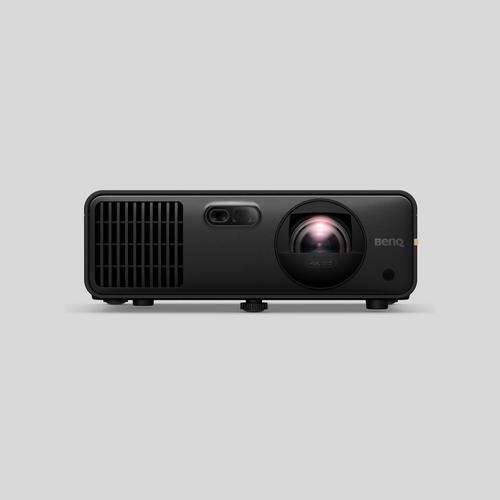
What projector pairs with it?
A short throw unit mounted behind the hitting area. The R50 puts out 1080p, which is plenty for golf. If the room has any light coming in, look at 4,000 lumens or more.
What owners say
Complete the bay