


BenQ TK710STi 4K Laser Short Throw Golf Simulator Projector
A 4K laser short throw projector for golf simulators, and the lower cost way into 4K in the BenQ lineup. It does its best work in a room where you control the light.
Send us your room and we will check it for free. Book a design call or call (512) 222 2220.
4K golf for rooms where you control the light.
The TK710STi hangs behind the golfer and puts a true 4K picture on the screen from a laser light source. It is at its best in a dark bay; if daylight gets in or the lights cannot be dimmed, step up to the 4,000 lumen AK700ST.

What you get with the TK710STi

Mounted behind the hitting area
The short throw lens lets it hang from the ceiling behind the golfer, out of the swing path and clear of pop ups. From there it sits too far back for your shadow to land on the screen.

8.3 million pixels on the screen
True 4K is four times the pixels of 1080p. On a golf screen it shows most in small text like yardages and shot data, and it makes a real difference for movies. HDR10 and HLG support cover 4K streaming and broadcasts.

Square the image from off center
Keystone corrects up to 30° vertically and horizontally, plus 30° of picture rotation. That helps when a joist or a ceiling launch monitor keeps the mount from sitting dead center.

No lamps, sealed against dust
The laser light source is rated for 20,000 hours and starts instantly, with no lamp to replace. Its sealed IP5X engine keeps dust off the optics without filters to clean.

Streaming, gaming and sound
The included Android TV dongle streams 4K apps straight to the projector. eARC passes 7.1 and Dolby Atmos audio to a sound system over one HDMI cable.
Find your mounting distance
Throw distance is set by the height of your image, not your ceiling. As a guide, a 9 to 10 ft tall image puts the lens about 12 ft from the screen. Pick your screen height for the exact range.

The image will run wider than your screen. Filling the height at 16:9 makes the picture wider than most golf screens. Set a custom resolution in NVIDIA Control Panel or AMD Software that matches your screen's shape, and the image fills it edge to edge with no stretching or distortion.
Distances are lens to screen, from the 0.69 to 0.83 throw ratio. For a full room plan, try the BenQ golf sim planner or send us your room and we will lay it out free.
Full specs
Brand new units with the full BenQ factory warranty.
Picture
Lens and setup
Light source and build
Connections and audio
Input lag
Size, power and warranty
TK710STi or AK700ST?
Both are 4K laser short throws with the same throw range. The AK700ST adds 800 lumens, Auto Screen Fit and a Golf picture mode. Pick the TK710STi for a dark room on a tighter budget, and the AK700ST if any light gets in.
Is 3,200 lumens bright enough?
In a controlled room, yes. About 3,000 to 3,200 lumens is fine when you can control the light; with ambient light, go 4,000 or more. Use 1 to 4 dimmable lights beside or just ahead of the ball, none aimed at the screen.
What PC do I need to run 4K?
We suggest an RTX 5070 or better, 32 GB of RAM and an i7 or better. For 4K, use a graphics card whose model number ends in 70 or higher. We do not sell PCs.
What mount should I use?
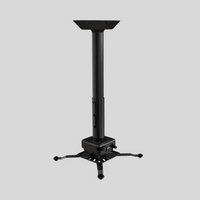
We use the Crimson AV JR3 with an extension column, usually 6 to 11 in, to drop the projector to the right height. With a ceiling launch monitor, set the projector about 1 in lower than the unit so it does not cast a shadow on it.
My PC is far from the projector. What cable do I need?
Use a fiber optic HDMI cable for long runs. Skip wireless HDMI, it adds lag. Flicker or blackouts are almost always a cheap or overly long cable.
Are the built in speakers enough?
The 5W speaker is fine for setup, but a sim room needs a separate sound system.
What is the warranty?
3 years from BenQ. Every unit we sell is brand new.
What owners say


